Setting Up the Barcode Reader on Your RFID Gun
To ensure your RFID gun scans and submits barcodes automatically, follow these simple steps:
- Open the “Scan Tool” app on your RFID gun.

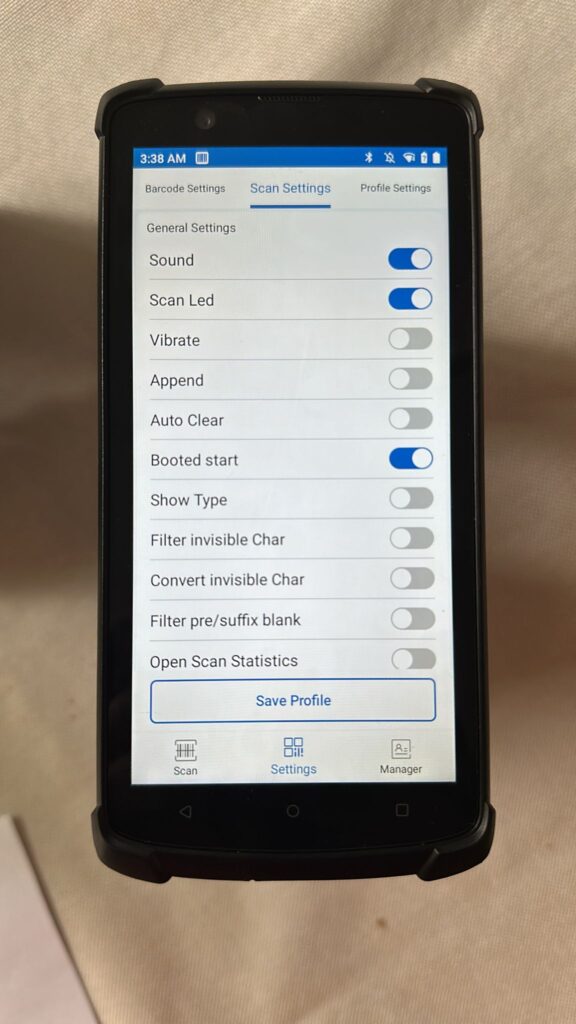
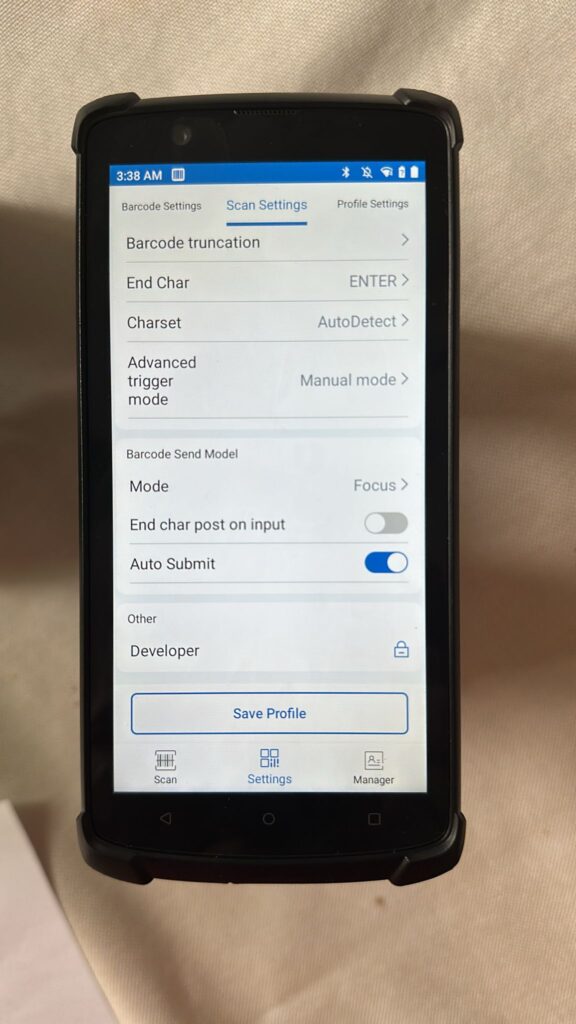
Then go to “Settings” on the bottom menu… then go to “Scan Settings” on the top menu… then copy the settings from the images below into the app.
These settings will ensure that pulling the trigger scans the barcode and submits it automatically.
Once done the settings save automatically just exit the app.